
SEO Article Templates and Content Formats: The Complete Guide

Last updated: October 13, 2026
Key Takeaways
- An SEO article template gives a page a repeatable order that covers the right question without turning it into a rigid script.
- Choose the format that matches search intent, because intent is the main ranking battleground.
- Ask what the reader must finish with: an answer, a decision, a process, or a list of options.
- Template-driven content usually helps SEO when it works as a scaffold, not a script.
If you want an SEO article template that actually helps a page rank, the most useful approach is to match the format to the search task: a how-to page, a comparison, a definition page, a list, or a product-style recommendation all solve different problems. This article on SEO Article Templates and Content Formats: The Complete Guide is written from hands-on experience with content structure, search intent, and on-page SEO, so the focus here is on what usually works in practice rather than on absolute rules. Quick answer: for most search-driven pages, a template-driven format is the better starting point.
What an SEO article template is really for
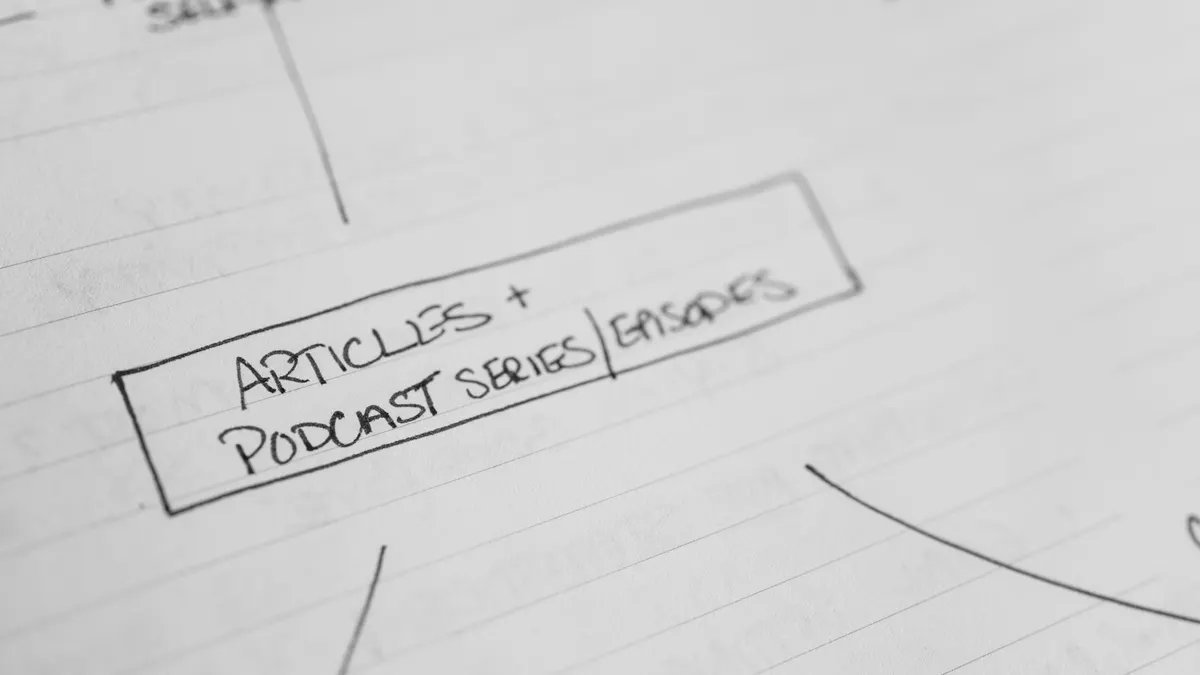
An SEO article template is a repeatable structure that helps a page cover the right question in the right order, not a paint-by-numbers outline you slap onto every topic. The strongest templates do three jobs at once: they satisfy search intent, keep the reader moving, and make it easier to cover the subtopics Google expects.
A generic blog outline usually starts with a fluffy introduction, a random “benefits” section, and a conclusion that says little. That shape fails because it is built around writing convenience, not reader need. For SEO, the page has to do the opposite. It should answer the main query early, then move into the details a reader still needs to make a decision, complete a task, or understand a concept.
The right format depends on the searcher’s goal. A person searching “what is schema markup” needs a definition, examples, and practical implications. A person searching “best email marketing platform for small business” needs a comparison with clear trade-offs. A person searching “how to fix 404 errors” needs step-by-step instructions. The template changes because the decision changes.
This is where most guides get lazy. They talk about “formats” as if an article is only about headings. It is not. Format includes the order of information, the depth of explanation, where examples belong, whether a table helps, and when a checklist is better than a paragraph. A strong SEO template also anticipates supporting evidence, because pages that can cite standards, official docs, or authoritative organizations usually look more trustworthy than pages built from slogans.
For technical or sensitive topics, I would also keep the source layer visible. For example, if a page covers structured data, the Google Search Central documentation on structured data is more useful than a generic SEO blog. If a page covers accessibility, the W3C Web Content Accessibility Guidelines are the relevant standard. Those kinds of sources do not replace good writing; they anchor it.
The bottom line: the template should serve the query, not the writer. If the format makes the answer harder to find, it is the wrong format.
Which content format should you use for SEO?
You should choose the format that matches the search intent, because intent is the real ranking battlefield. If the searcher wants instructions, a how-to page wins. If they want options, a comparison or listicle wins. If they want a definition, a concise explainer wins. I would not use a listicle just because it is easy to draft.
Here is the practical match-up I use:
- How-to / step-by-step for tasks, fixes, and processes.
- Comparison for “X vs Y,” “best,” or “top tools” queries.
- Explainer / definition for terms, concepts, and “what is” searches.
- List / roundup for multiple options with similar use cases.
- Template / swipe file for readers who need a reusable structure.
- Case-study format for proof-heavy topics where results matter.
The mistake is assuming the same article format works equally well for all informational queries. It does not. A definition page should be short, sharp, and precise. A comparison page needs criteria, trade-offs, and a verdict. A how-to page needs ordered steps, warnings, and troubleshooting notes. An article that mixes all three often becomes vague and hard to scan.
For SEO, the format should also reflect what already ranks. If the top results are guides with screenshots, your text-only essay is probably underbuilt. If the top results are direct answers and official documentation, a long personal-style article may overtalk the query. I would treat the current search results as a map of user expectation, then decide whether you can beat them on clarity, completeness, or usefulness; for health, legal, or financial topics, it is wise to consult a qualified professional and verify claims against authoritative guidance such as Google Search Central and W3C when relevant.
One more point that generic advice misses: format affects internal satisfaction as much as rankings. A reader who lands on a page looking for “how to write a meta title” does not want a philosophy essay on branding. They want a formula, examples, and edge cases. If the format delays the answer, the page loses the click even if the title wins it.
The safest rule is to use the format that makes the next step obvious, provided that rule is applied honestly to the query.
How do you choose the right SEO article structure?
You choose the right structure by asking what the reader must finish with: an answer, a decision, a process, or a list of options. That single choice determines the outline more reliably than any “SEO best practice” checklist.
I would use this decision path:
-
Is the reader trying to do something?
Use a how-to structure with steps, tools, and mistakes to avoid. -
Is the reader trying to choose something?
Use a comparison structure with criteria, side-by-side evaluation, and a verdict. -
Is the reader trying to understand something?
Use an explainer structure with definition, context, examples, and nuance. -
Is the reader trying to find several options?
Use a list structure with clear categories and individual mini-reviews. -
Is the reader trying to replicate a result?
Use a template, framework, or case-study structure.
That sounds simple, but it can prevent a lot of bad content when it is backed by careful review and, for high-stakes topics, checked against professional guidance. For example, a “best SEO article template” query is not asking for a philosophical explanation of templates. It is asking which structure should be used for which page type, and how to apply it. The page should therefore compare formats, not just describe them. Google Search Central’s guidance on helpful content and structured data is a useful reference point here.
A useful structure also needs the right amount of friction. If the topic is beginner-friendly, keep the opening short and move into examples fast. If the topic is technical, define the terms before any advice. If the topic is commercial, make the trade-offs explicit early, because readers do not want a sales pitch disguised as information.
I also recommend mapping your outline to the likely objections a reader has. If someone is skeptical about templates, address the fear that templates make content generic. If someone worries about SEO sounding robotic, explain how a template still allows original examples, evidence, and voice. If someone thinks “format” and “quality” are separate, show how structure affects comprehension and engagement.
A template is only useful when it protects the reader from confusion. If it does not do that, it is decoration.
The honest side-by-side: template-driven content vs freeform content
Template-driven content can outperform freeform content for SEO when the page has to answer a known query clearly, and freeform content can outperform a template when the subject itself is the point of view. For most commercial and informational pages, the template is the safer choice.
| Criteria | Template-driven content | Freeform content | Winner for condition |
|---|---|---|---|
| Speed of production | Faster once the format is set | Slower because every page is rebuilt from scratch | Template-driven, for teams publishing at scale |
| Search intent match | Stronger when the template fits the query | Can drift away from what searchers need | Template-driven, for SEO-led pages |
| Originality of voice | Can feel repetitive if overused | Usually more natural and distinctive | Freeform, for brand-led editorial work |
| Coverage of subtopics | More reliable and complete | Depends heavily on writer discipline | Template-driven, for completeness |
| Ease of QA | Easier to check for missing sections | Harder to compare page to page | Template-driven, for large content operations |
| Reader clarity | Usually stronger when headings are logical | Can be elegant or confusing | Template-driven, for searchers who scan |
| Room for nuance | Limited if the outline becomes rigid | Better for complex, argumentative topics | Freeform, for thought leadership |
| Scalability across a site | High, with consistent parts and patterns | Poorer, because each page needs a custom shape | Template-driven, for content libraries |
| Risk of generic output | Higher if everyone uses the same skeleton | Lower, though not always better | Freeform, when distinctiveness matters more than speed |
The real takeaway is not that one side is better in theory. It is that template-driven content often works whenever the page has to answer a known query clearly, and freeform content works when the subject itself is the point of view. A page about “how to write a title tag” should not wander. A page about “why title tags matter less than topical authority” probably needs more room to think.
The downside of template-driven content is that weak teams confuse consistency with quality. They produce the same shape over and over, then wonder why the site feels thin. The downside of freeform content is the opposite: writers get to be interesting, but the page loses the answer. A reader who is hunting for a fix or a decision will not forgive that.
I would choose template-driven content for most SEO pages because it reduces omission. But I would reject a template whenever the subject demands argument, interpretation, or a highly personal perspective.
SEO article template examples that actually hold up
The best template is the one that removes guesswork without flattening the topic. For most SEO work, I would use one of four structures: how-to, comparison, list, or explainer. Each of these solves a different search task and keeps the page honest.
A how-to template should usually look like this:
- Direct answer in the first paragraph
- Prerequisites or tools
- Step-by-step instructions
- Common mistakes
- Troubleshooting
- Short conclusion or next step
This format works because it respects sequence. A person trying to complete a task does not want context first and instructions later. They want the shortest path from problem to solution. If the task is technical, include the exact term of art. If the process involves a product or platform, name the setting or menu path clearly.
A comparison template should look like this:
- Short answer on which option wins for which use case
- Criteria that matter
- Side-by-side table
- Deep dive on each option
- Exception scenarios
- Verdict
This format works because comparison pages are decision pages. The reader needs reasons, not adjectives. A table helps, but only if the criteria change the choice. That means no filler rows like “quality” or “overall value” unless you define what that means in practice.
A list or roundup template should include:
- Clear selection criteria
- Short intro explaining the group
- Individual entries with specific strengths and limits
- Best for each use case
- Final pick based on the reader’s situation
This is the right shape for “best tools,” “top ideas,” and similar queries, but only when the list is curated. A random dump of ten items is not a roundup; it is clutter.
An explainer template should generally include:
- Direct definition
- Why it matters
- How it works
- Examples
- Common misconceptions
- Related terms or next steps
This is the cleanest structure for concept pages. It helps the reader understand a term without making them work for the answer.
I would avoid stuffing every template with the same set of sections. That is how pages become bloated. A definition page does not need a 12-step process. A how-to page does not need a long history lesson. The structure should match the query, not the calendar.
What most SEO article templates get wrong
Most SEO article templates fail because they treat headings as the product. The headings are not the product; the answer is. A page can have the “right” H2s and still miss the point if the order is wrong, the examples are vague, or the reader has to scroll too far for the first useful sentence.
The other common failure is pretending that templates and originality are enemies. They are not. A good template gives the writer a container, and the writer fills that container with specifics: named tools, official documentation, standards, numbers that are real, and examples that fit the reader’s use case. Without specifics, the article becomes generic. With too many specifics and no structure, it becomes messy.
A lot of template advice also ignores content format by audience maturity. A beginner page needs more explanation and fewer assumptions. An advanced page can compress basics and spend more time on edge cases. If you write both with the same template, one group feels bored and the other feels talked down to. The right template should account for expertise level, not just topic category.
Another mistake is skipping trust signals. For SEO, trust is not only about author bios and “about us” boxes. It is also about whether the page references the right authorities. For topics involving search engines, Google Search Central is often the obvious source. For accessibility topics, W3C matters. For medical, financial, or legal topics, the reader should see official or professional guidance and, where relevant, a prompt to consult a qualified professional.
Generic templates also overuse conclusions. A conclusion should not repeat the article. It should make a decision, clarify a boundary, or point to the next action. If the page is a how-to, end with the final checkpoint. If it is a comparison, end with the choice. If it is an explainer, end with the implication.
A template is successful when the reader feels that the page knew what they needed before they did.
When to use a template, and when to break it
Use a template when the page has a stable job, and break it when the subject needs a sharp editorial point. That is the cleanest rule I know.
I would keep a template in place for:
- tutorials
- comparisons
- glossary pages
- product roundups
- standard service pages
- recurring topic clusters
These pages benefit from repeatable structure because readers expect the same information in the same order. If someone is comparing two SEO tools, they should not have to hunt for pricing, integrations, or weaknesses. If someone is reading a guide to canonical tags, they should not have to decode a meandering narrative.
I would break the template when:
- the topic is controversial
- the article is driven by one argument
- the format itself is the hook
- the page is meant to persuade more than instruct
- the story matters more than the steps
A thought piece on why most keyword research fails, for example, may need a looser structure to build its case. A case study may need chronology rather than a conventional outline. A deeply technical issue may need a problem-solution rhythm rather than “intro, three points, conclusion.”
The exception that matters most is a hybrid page. Some of the best SEO articles combine a template with a strong editorial spine. A comparison page might use a fixed structure but open with a clear recommendation. A how-to page might begin with a one-paragraph answer, then move into steps, then finish with troubleshooting. That hybrid approach is usually the best fit for real-world SEO, because it honors the searcher while keeping the page readable.
I would not use a template if it makes the writing safer but weaker. That is a bad trade. Structure should sharpen judgment, not hide behind it.
The verdict: which content format should you choose?
Choose a template-driven format if the page must rank for a clear informational or commercial query, the topic has predictable subtopics, and you need consistent output across multiple pages. Choose a freeform format if the article is mostly argument, commentary, or original interpretation and the reader cares more about the writer’s point of view than a repeatable structure. Choose neither if the page is only being produced because “SEO needs content”; that is how sites fill themselves with pages nobody wants.
If I had to make the call for most publishers, I would choose template-driven content for the bulk of SEO articles and reserve freeform writing for the articles that truly need it. That mix gives you the reliability of structure without turning the site into a copy of itself.
Exception scenarios where the verdict flips
The default verdict flips in a few real situations. First, if the topic is a highly personal or opinion-led subject, freeform wins because the reader wants a point of view, not a pattern. A template can flatten the voice too much.
Second, if the audience is already advanced and the topic is narrow, a rigid template can slow the page down. A technical audience often prefers directness over formal structure, especially when they already know the basics and only want the edge case.
Third, if the page is meant to support a strong brand narrative, the freeform approach can carry more weight. Brand pages, manifesto-style pieces, and editorial essays often need rhythm and emphasis that a standard outline would smother.
Fourth, if your site is already full of near-identical pages, another template may make the problem worse. At that point, the issue is not format choice; it is content sameness. A more distinctive structure may do more for performance than another optimized skeleton.
Quick examples of formats matched to search intent
A page asking “what is XML sitemap” should be an explainer, not a case study. A page asking “how to write an SEO title tag” should be a how-to with examples and mistakes to avoid. A page asking “Ahrefs vs Semrush” should be a comparison with criteria, not a generic feature list. A page asking “best on-page SEO checklist” should be a curated list with clear selection logic.
That matching matters because it keeps the reader from working against the page. If the query is about selection, give choices. If the query is about understanding, define. If the query is about action, instruct. The format should feel inevitable once the question is clear.
I also think it helps to remember that the format is part of the promise the title makes. If the title promises “complete guide,” the page needs enough structure to earn that claim. If the title promises “template,” the reader expects something reusable. If the title promises “comparison,” the reader expects judgment. A mismatch between title and format is one of the fastest ways to lose trust.
Frequently asked questions
What is the best SEO article template for most websites?
The best default is a template that starts with the direct answer, then expands into supporting sections that match the query type. For most sites, that means a short opening, a clear body structure, and a conclusion that makes the next step obvious.
Should every SEO article use the same format?
No. Reusing one format for every topic usually makes the site feel mechanical and can hide important differences in intent. A how-to page, a comparison page, and a definition page should not look identical.
Are listicles still good for SEO?
Yes, when the query asks for multiple options or examples and the list is genuinely curated. A weak listicle is just filler in numbered form; a good one has selection criteria and useful distinctions.
How long should an SEO article template be?
Long enough to cover the reader’s likely follow-up questions, and no longer. The right length depends on the topic, but the structure should be complete without padding.
Do templates hurt originality?
Not when they are used as scaffolding. A template helps organize the answer; originality comes from the examples, the judgment, the sources, and the way the topic is framed.
Drafted with AI; not yet reviewed by a person.


